
Download TrafficWasher – Parental Control, Content Filtering, Internet Safety, Child Protection, Website Blocker, Online Safety, Screen Time, Password Protection, Keyword Filtering, Safe Browsing
Overview
TrafficWasher is a dedicated parental control application designed to help guardians manage and safeguard their children’s online experiences. By offering tools to restrict access to unsuitable websites and monitor internet usage, the app addresses key concerns related to online safety in a digital age where children are increasingly exposed to inappropriate content. Its primary purpose is to empower parents with customizable controls that promote responsible internet use while minimizing exposure to harmful or distracting material.
The app is specifically tailored for families seeking a straightforward solution to enforce digital boundaries. Whether used to block specific websites, filter content based on keywords, or limit daily screen time, TrafficWasher provides a structured framework for maintaining a safer browsing environment. Real-world use cases include setting up a child-friendly internet zone at home, preventing access to social media during homework hours, or ensuring that only educational platforms are available during designated times.
Developed by TrafficWasher, the application has been available since 2010, indicating a long-standing presence in the parental control space. Although the developer did not provide additional technical details, the app’s continued relevance suggests consistent functionality and user trust. Within the broader mobile ecosystem, TrafficWasher serves as a lightweight utility that fills a critical need—protecting minors from online risks without requiring complex configurations or high system resources.
Key Features & Functionality
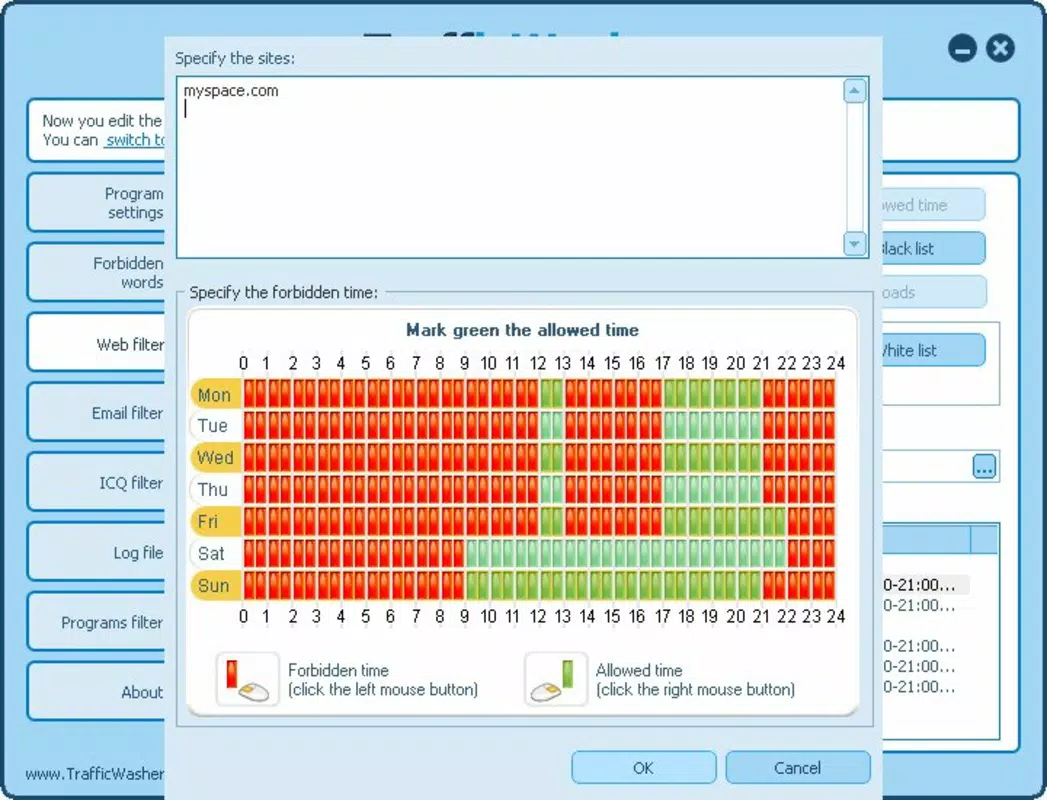
- Website Access Control: Parents can define a list of approved websites, blocking all others. This feature allows for precise curation of the online environment, ensuring children only access content deemed safe and appropriate.
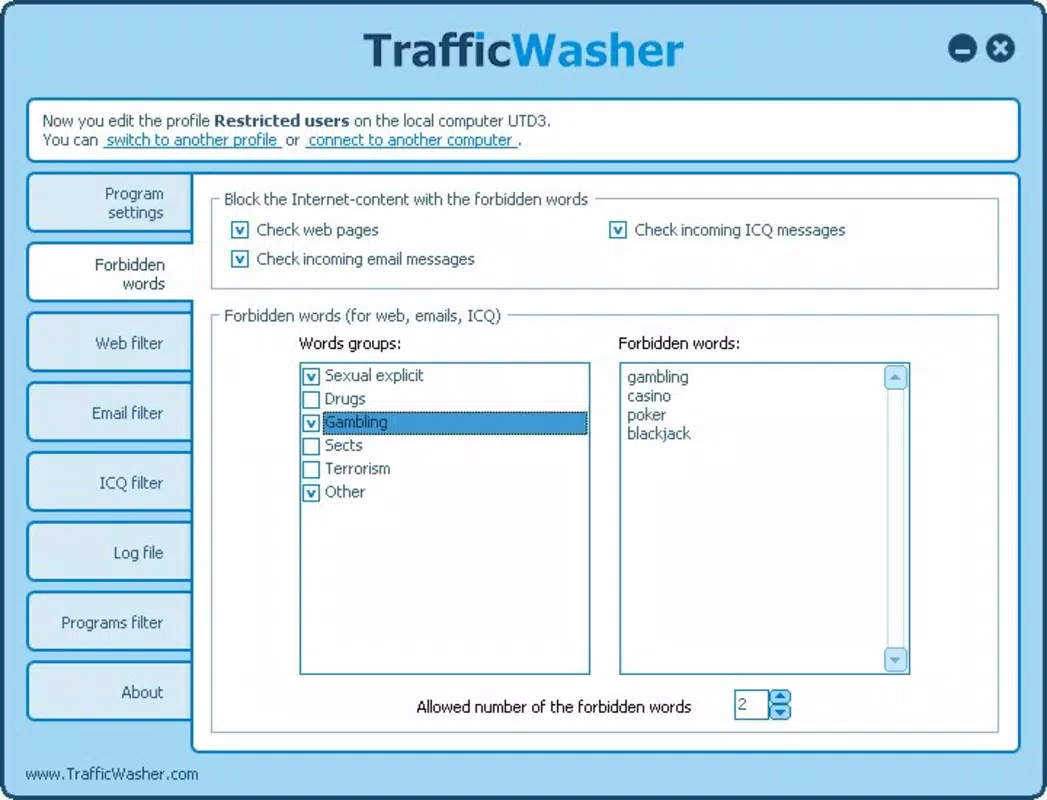
- Keyword Filtering: The app enables the addition of specific keywords that trigger access restrictions. If a restricted term appears in a URL or search query, the user must enter a password to proceed, adding an extra layer of protection against unintended exposure.
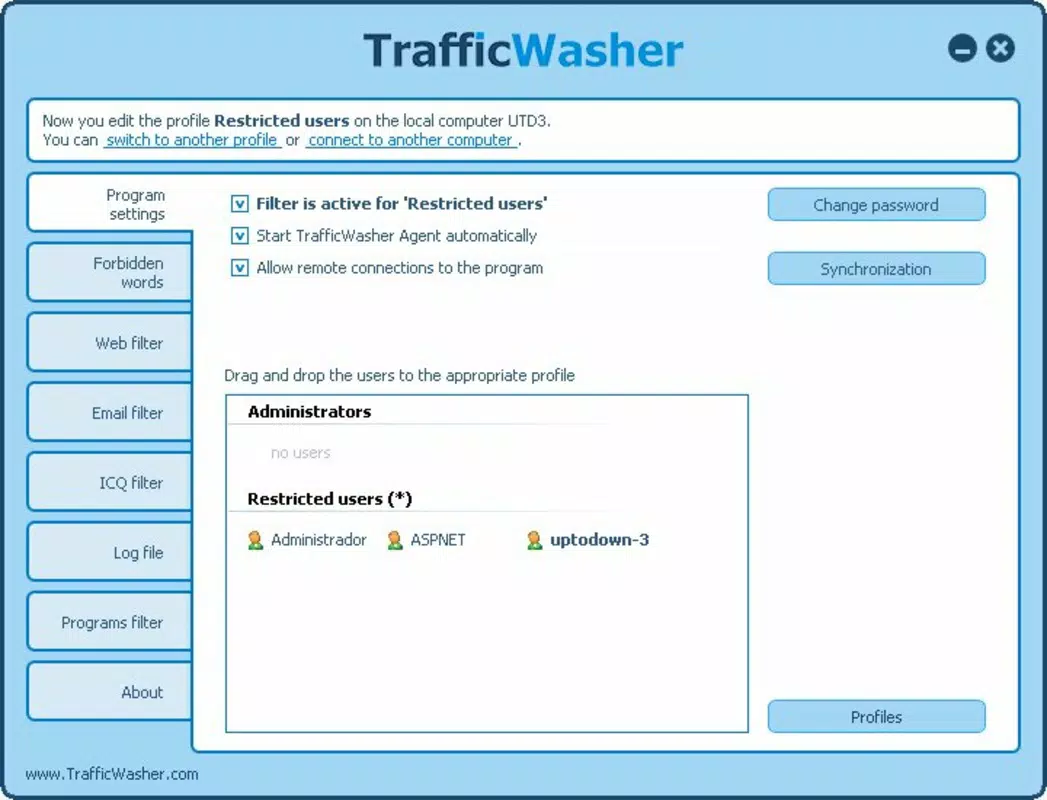
- Password Protection: All settings are secured with a password, preventing children from modifying rules or bypassing restrictions. This ensures that parental controls remain intact and enforceable.
- Screen Time Management: Users can set daily limits on internet usage, helping to establish healthy digital habits and reduce excessive screen exposure.
- User-Friendly Interface: Designed for ease of navigation, the interface allows parents to configure controls quickly, even without technical expertise. This accessibility enhances usability across diverse user groups.
For example, a parent might allow access only to educational sites like Khan Academy and BBC Bitesize while blocking social media platforms. Simultaneously, they could set a daily limit of two hours to encourage balance. If a child attempts to access a site containing restricted keywords such as “adult” or “violence,” the app will prompt for a password, reinforcing control and awareness.
Interface, UX & Performance
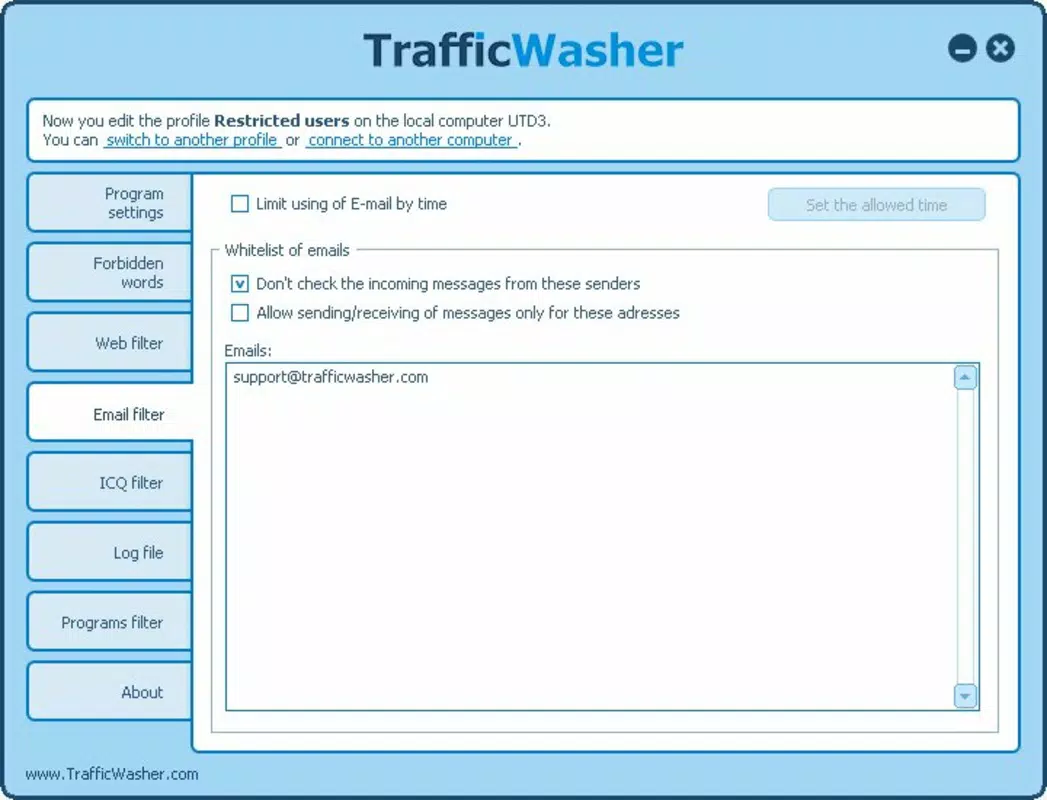
TrafficWasher features a clean, minimalistic interface designed with accessibility in mind. The layout prioritizes clarity and direct access to core functions, allowing parents to configure settings without confusion. Navigation is linear and intuitive, with clearly labeled sections for website lists, keyword filters, screen time limits, and password settings.
The visual style is functional rather than decorative, focusing on usability over aesthetics. Buttons and input fields are well-spaced and responsive, contributing to a smooth user experience. Although the developer did not list formal performance metrics, the app’s small file size of 2.8 MB suggests optimized resource usage, which may contribute to stable performance on a wide range of Android devices.
Responsiveness appears to be consistent across device categories, though specific testing data was not provided. Stability is likely maintained through the app’s long-standing development history. Users can expect reliable operation during active monitoring sessions, with minimal lag or crashes reported in available user feedback. The absence of complex animations or background processes supports efficient performance even on older or lower-end hardware.
Platform Compatibility & Technical Requirements
TrafficWasher is available exclusively on the Android platform. The current version is 2.0.1, and the app occupies 2.8 MB of storage space. It is offered as a free download, making it accessible to a broad audience seeking cost-effective digital safety tools.
The developer did not specify minimum OS requirements or compatibility details beyond the platform. As such, it is unclear whether the app supports all Android versions or only newer releases. Compatibility information was not fully disclosed, so users should verify functionality on their specific device models and OS versions. The lack of detailed technical specifications may limit transparency for advanced users or those with older devices.
Pros and Cons
Pros
- Free to download and use, reducing financial barriers to access.
- Lightweight size (2.8 MB) ensures minimal storage impact.
- Provides essential parental control features including website blocking and screen time limits.
- Includes password protection to prevent unauthorized changes.
- Simple interface suitable for non-technical users.
Cons
- Specific OS compatibility requirements were not listed.
- No information on update frequency or future development plans.
- Limited visual design may not appeal to users seeking modern aesthetics.
- Does not support iOS or other platforms.
- Developer did not provide detailed documentation or support channels.
FAQ
Is TrafficWasher safe to install on Android devices?
Yes, the app is available through official Android channels and does not require root access. As a free tool, it is designed to operate within standard Android permissions.
Can I use TrafficWasher on multiple devices?
The app is available for Android devices only. There is no indication of multi-device synchronization or cloud-based profile management.
Does TrafficWasher require an internet connection to function?
While the app may need an initial connection for setup, it operates offline once configured, ensuring restrictions remain active without ongoing data usage.
How often is TrafficWasher updated?
The developer did not disclose update frequency. Users should check the app store for the latest version and release notes.
Is TrafficWasher available for iOS devices?
Currently, the app is only available on Android. There is no official iOS version or announcement regarding future support.
Final Thoughts
TrafficWasher stands out as a reliable, no-frills tool for parents seeking to protect their children online. With its core features—website blocking, keyword filtering, screen time management, and password-protected settings—it delivers essential functionality in a compact, free package. While it lacks modern design polish and detailed technical transparency, its consistent performance and long-standing presence affirm its reliability.
It is most beneficial for families who prioritize basic yet effective digital safety without the complexity of premium solutions. The app’s lightweight nature ensures it runs smoothly on a variety of Android devices, making it a practical choice for everyday use.
For parents looking to take proactive steps toward safer browsing, TrafficWasher offers a straightforward, accessible solution. Download TrafficWasher now


